Apps

Available · Web · Mac · Windows soon
LessonSage
Every teaching tool, in one window you can share.
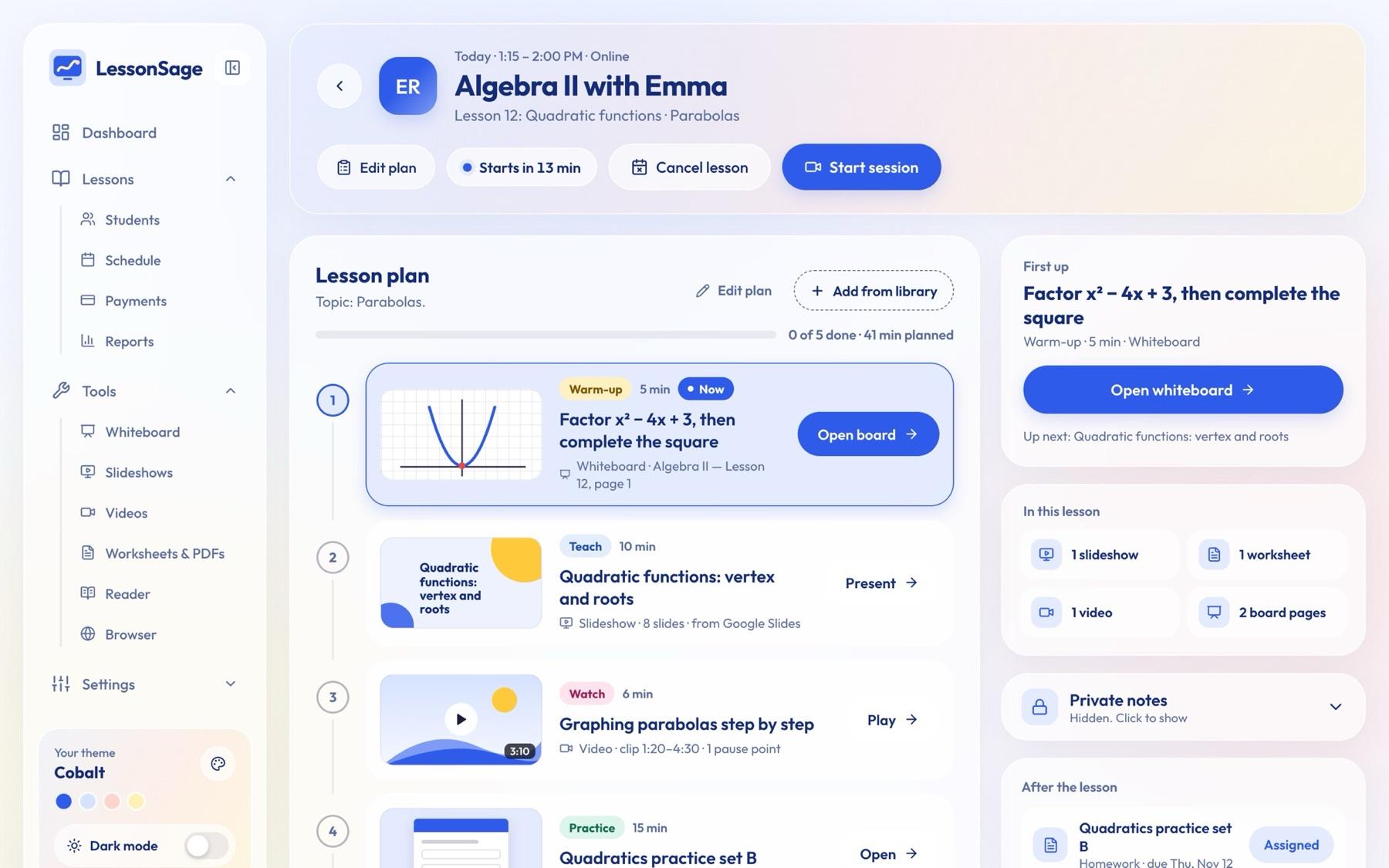
A teaching dashboard for private tutors: whiteboard, slides, videos, worksheets and reading texts in one window, so you share your screen once instead of switching between six tabs. Students, progress, homework and payments sit in the same place, and anything private stays hidden while you teach.
 LessonSage
Inside LessonSage
What it does
Whiteboard
Pens, highlighter, shapes, sticky notes, graph paper and pages, saved per student. A live board link lets a student draw with you, no sign-in needed.
Slideshows
Upload PowerPoint or PDF, or paste a Google Slides or Canva link. Draw on any slide, jump to a blank board and back, and present full screen.
Worksheets
Open any PDF or picture and mark it up together with ticks, crosses and stars. Interactive mode saves the score to the student's progress.
Videos
YouTube or uploaded files, with pause points that ask the student a question. Draw on the paused video; captions, speed and transcript included.
Reader
Read a text together in big, clear type. Highlight new words and mark mistakes; they collect in a word list.
Lesson plans
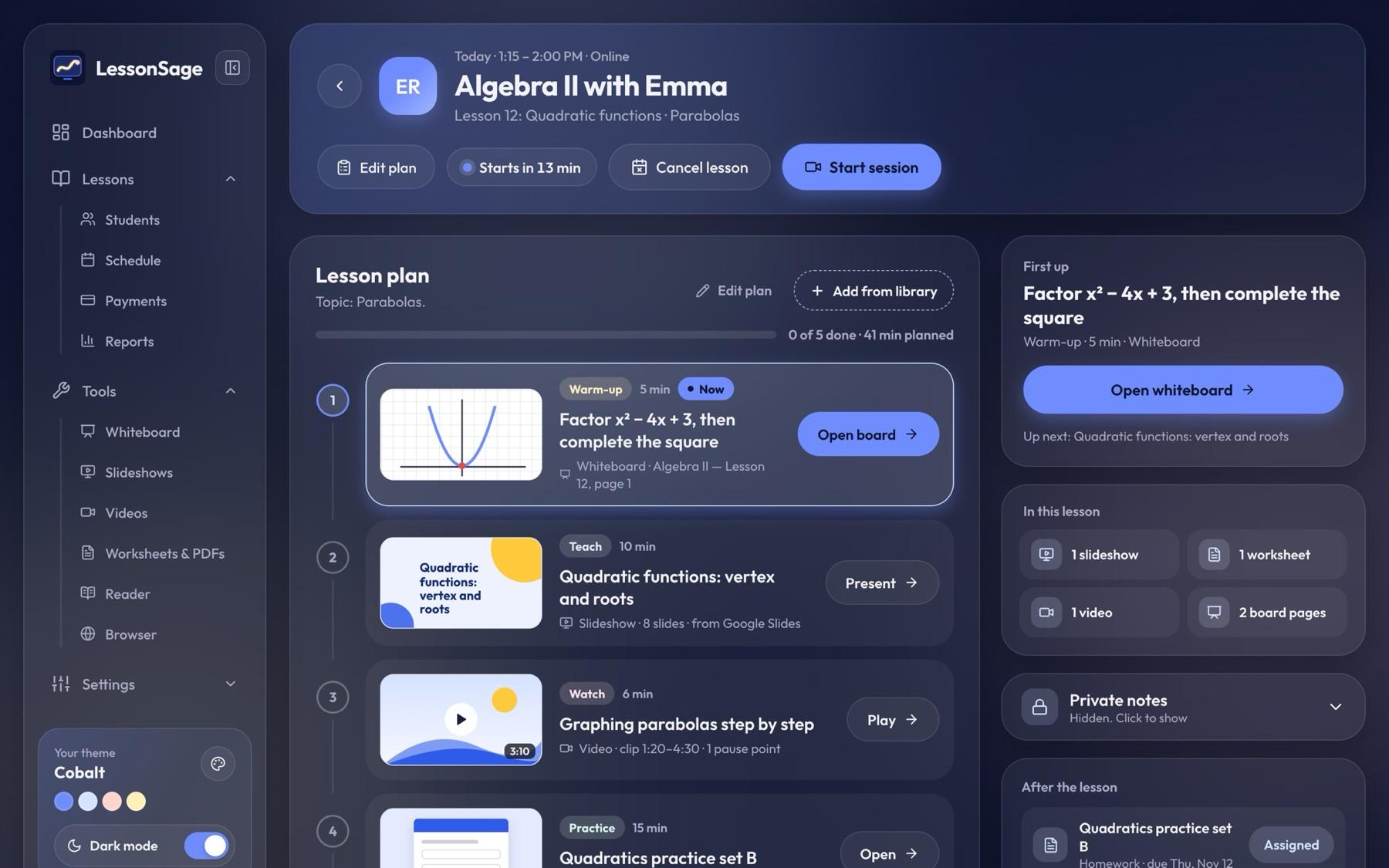
One screen per lesson (warm-up, teach, watch, practice, wrap-up) with a live timer, next-activity buttons and homework.
Safe to screen-share
Private notes and to-dos stay closed, no money on the dashboard, short student names, and one click hides every amount.
Students and progress
One page per student with the next lesson, homework, notes, scores and lesson package, plus “needs attention” flags and one-click PDF parent reports.
Payments and reports
Paid, part paid or not paid, prepaid packages and invoices, with reports on lessons, attendance, scores and earnings.
Make it yours
8 colour themes, light and dark mode, easy-reading fonts, in English and Turkish. One license covers every platform and syncs between devices.